EZ Studio Pro
Transform models into masterpieces with premium studio automation. One-click lighting presets, cinematic gobos, and seamless infinite backdrops optimized for production
EZ Studio Pro: Premium Studio Automation
Transform raw models into cinematic renders with a single click.
EZ Studio Pro is the ultimate productivity toolkit for Blender artists who need professional-grade studio environments without the manual setup. Whether you're rendering a sleek supercar, a delicate piece of jewelry, or a complex architectural product, EZ Studio Pro automates the entire staging process—from lighting and backdrops to camera framing.
🚀 Key Professional Features:
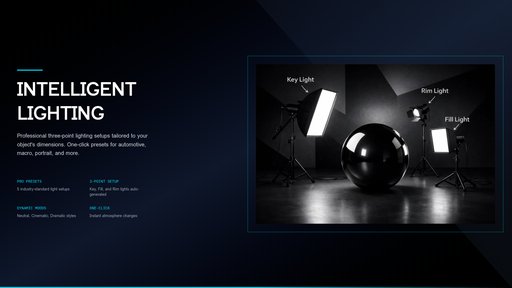
Intelligent Studio Presets:
* Automotive: Massive wrap-around softboxes designed for high-end vehicle reflections.
* Macro / Jewelry: Precise, close-range lighting for small, detailed subjects.
* Portrait: Soft, human-centric lighting for flattering character renders.
* Top-Down Flat Lay: Specialized overhead arrays for tech, food, and layout photography.
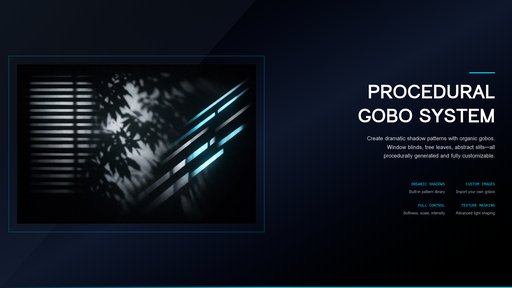
Procedural Gobo (Light Texture) System: Add instant depth and realism to your scenes with procedural shadow masks:
* Window Blinds: Classic cinematic horizontal stripes.
* Tree Leaves: Natural, dappled organic shadows.
* Abstract Slits: Modern, geometric lighting cuts for high-fashion styles.
* Custom Texture: Use any image as a light mask for unique branding.
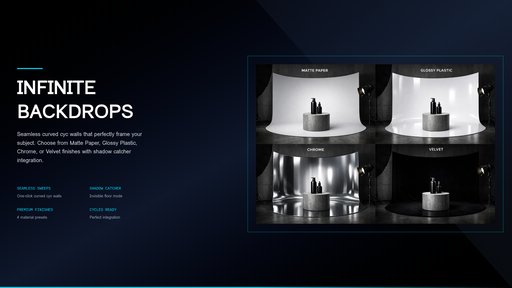
Dynamic Backdrop Geometry:
* Infinite Sweeps: Seamless, curved studio backdrops with customizable floor finishes (Matte, Glossy, Metallic, or Velvet).
* Shadow Catchers: Invisible floors that catch realistic shadows for perfect compositing.
Smart Camera Templates:
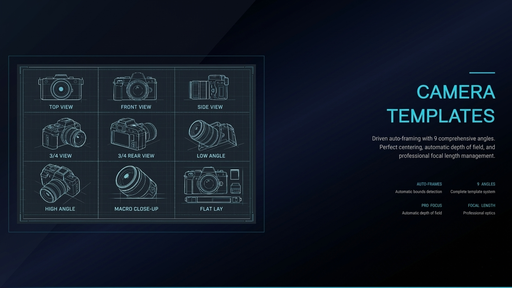
* Instantly generate and frame your subject from 9 professional angles (Isometric, Side, Front, Top-Down, etc.) with automated Focus and Depth of Field.
Production Render Optimization:
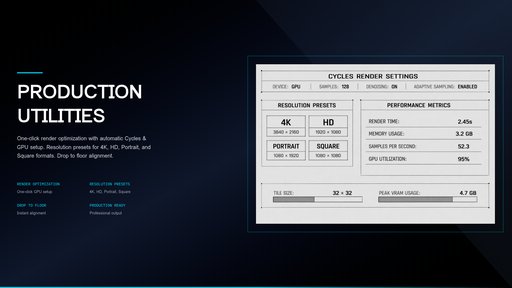
* One-click setup for Cycles: Automatically enables GPU rendering, High-Quality Denoising, and AgX High-Contrast color management.
🛠 How to Use:
1. Select your object in the 3D Viewport.
2. Choose your Studio Type and Lighting Mood from the EZ Studio N-Panel.
3. Generate: Click "Generate Production Setup" – the add-on builds the entire environment, frames the camera, and sets the mood instantly.
4. Optimize: Click "Production Render Settings" to prepare your scene for a high-end final output.