Babylon Scene Preview Pro
All-in-one .glb exporter & live-preview with screenshot + grid toggle + Blender-style grid.
Babylon Scene Preview Pro
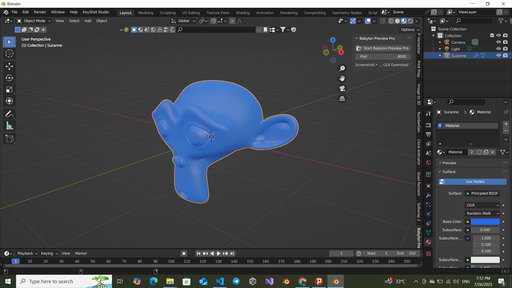
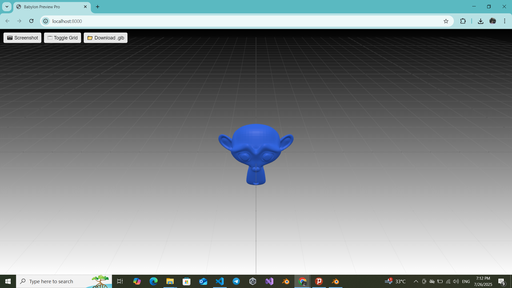
Babylon Scene Preview Pro brings your Blender 4.5 scenes to the browser in one click—now with:
- 📷 Screenshot → download a PNG of your camera view
- 🗔 Toggle Grid → show/hide the Blender-style grid
- 📁 Download .glb → grab the exact export from the preview
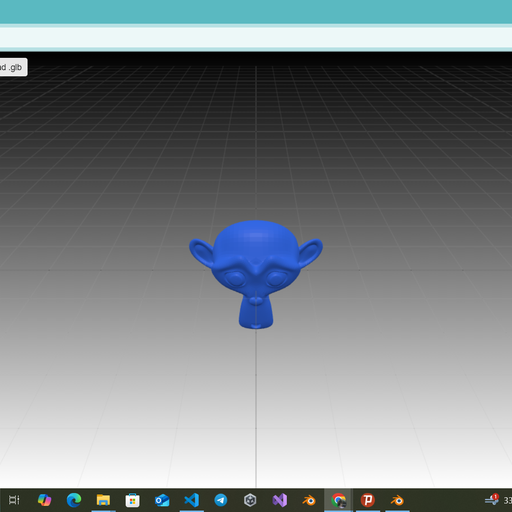
- 🎨 Blender-style GridMaterial (minor/major lines, transparent fill)
- ↕️ Black→White gradient background
- 🔄 ArcRotateCamera with free orbit + zoom limits
- 🚀 Zero setup: exports a single temporary model.glb
Installation
1. Download the ZIP from BlenderKit.
2. In Blender → Edit → Preferences → Add-ons → Install… → select the ZIP.
3. Enable Babylon Scene Preview Pro.
Usage
- Open the Babylon Preview Pro tab in the 3D View sidebar.
- Click Start Babylon Preview Pro (default port 8000).
- Browser opens http://localhost:8000/.
- Use the top-bar buttons for Screenshot, Grid Toggle, or Download .glb.
Perfect for client demos, QA, tutorials, or sharing interactive previews online!
Free for everyone
Name
Babylon Scene Preview Pro
Archive version
0.2.3
Platforms
windows-x64, macos-arm64, linux-x64, macos-x64, windows-arm64
File size
1.4 MiB