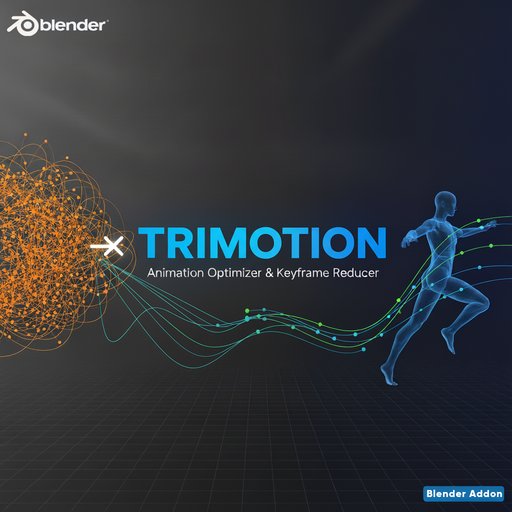
Trimotion-Animation Optimizer
Simplify high-fps mocap animations by intelligently reducing keyframes up to 90% while maintaining quality. Perfect for Rococo mocap, game engines, and editable animations!
Trimotion transforms heavy, uneditable mocap animations into lightweight, production-ready assets. Designed specifically for high-fps motion capture data (Rococo, Vicon, OptiTrack), it intelligently reduces keyframes by 50-90% without compromising visual quality.
Product Description
Trimotion transforms heavy, uneditable mocap animations into lightweight, production-ready assets. Designed specifically for high-fps motion capture data (Rococo, Vicon, OptiTrack), it intelligently reduces keyframes by 50-90% without compromising visual quality.
Key Features:
• Five powerful simplification algorithms including experimental Key Pose detection
• Animator-style workflow that makes mocap editable like hand-animated curves
• Real-time action switching and management directly in the addon panel
• Selective bone simplification for precise control over different body parts
• Batch processing for multiple rigs simultaneously
• Built-in animation analysis showing keyframe density and statistics
Simplification Methods:
- RDP (Smart): Geometric curve simplification with excellent quality preservation
- Key Pose (Experimental): Detects turning points like an animator, removes linear transitions
- Decimate: Fast frame-skipping for predictable results
- Adaptive: Error-threshold based removal for balanced optimization
- Blender Clean: Simple cleanup for nearly-identical keyframes
Highlights:
-
Reduce 100fps Rococo mocap from 15,000 to 3,000 keyframes in seconds
-
Make animations editable in Graph Editor with clean, manageable curves
-
Export-ready for Unity, Unreal, Godot, and other game engines
-
Professional Null Station quality with industry-grade algorithms
-
Intuitive UI with action browser, renaming, and live statistics
Perfect for game developers, animators, VR creators, and anyone working with motion capture data who needs optimized, editable animations.
Installation
- Download the addon as a ZIP file (Trimotion.zip)
- In Blender 4.2 -4.5 LTS, go to Edit > Preferences > Add-ons
- Click Install... and select the Trimotion.zip file
- Enable the addon by checking the checkbox next to "Animation: Trimotion"
- The addon panel appears in 3D Viewport's N-panel under Trimotion tab
Quick Start
- Import Mocap: Load your high-fps mocap animation (BVH, FBX, etc.)
- Select Armature: Click on your animated rig
- Open Panel: Press N in 3D Viewport, find Trimotion tab
- Analyze: Click "Analyze Animation" to see current keyframe count
- Choose Method: Select "RDP (Smart)" for best results
- Set Strength: Choose "3x (Moderate)" as a starting point
- Simplify: Click "Simplify All Bones"
- Review: Check the reduction statistics and play animation
Action Management
The addon includes a built-in action browser similar to Blender's Action Editor:
- Click dropdown to switch between actions
- Click action name to rename it
- Use + button to create new action
- Use X button to unlink action from armature
Simplification Methods Explained
RDP (Ramer-Douglas-Peucker) - RECOMMENDED
Uses geometric curve simplification to preserve animation shape. Typically achieves 50-70% reduction with excellent quality. Best for general use.
Key Pose (Experimental)
Detects key poses like an animator - peaks, valleys, direction changes, and acceleration points. Removes linear transition frames, making animation fully editable. Achieves 70-90% reduction. Perfect for creating animator-style editable curves.
Decimate
Simple frame-skipping that keeps every Nth keyframe. Fast and predictable. Good for quick tests and when you need exact frame rate reduction (100fps → 50fps).
Adaptive
Tests each keyframe removal impact. Only removes if interpolated value stays within error threshold. Balanced approach between quality and reduction. Great for subtle animations.
Blender Clean
Removes nearly-identical adjacent keyframes. Conservative approach for simple cleanup. Use when animation already has good keyframe placement.
Settings Reference
Strength Levels:
- 1x (Mild): 10-30% reduction, highest quality
- 2x (Light): 30-45% reduction, very high quality
- 3x (Moderate): 45-65% reduction, high quality (RECOMMENDED)
- 4x (Strong): 65-80% reduction, good quality
- 5x (Very Strong): 80-90% reduction, acceptable quality
Advanced Settings:
RDP Sensitivity: 0.1-10.0 (default 1.0)
- Lower = more keyframes kept, higher quality
- Higher = more aggressive reduction
Key Pose Sensitivity: 0.1-5.0 (default 1.0)
- Lower = keeps more transition frames
- Higher = removes more, keeps only key poses
Adaptive Sensitivity: 0.1-10.0 (default 1.0)
- Lower = stricter error tolerance
- Higher = allows more error, more reduction
Workflow Examples
Example 1: Rococo Full-Body Mocap (100fps)
- Import Rococo BVH (typically 15,000+ keyframes for 3 seconds)
- Select armature
- Click "Analyze Animation" (shows 15,000 keyframes)
- Method: RDP (Smart)
- Strength: 3x (Moderate)
- Click "Simplify All Bones"
- Result: ~5,000 keyframes (67% reduction), near-identical quality
- Export to Unity/Unreal with optimized file size
Example 2: Making Editable Animation
- Import mocap with dense keyframes
- Click + button to duplicate action (backup)
- Rename to "Editable_Version"
- Method: Key Pose (Experimental)
- Strength: 2x (Light)
- Sensitivity: 1.0
- Click "Simplify All Bones"
- Open Graph Editor - clean curves, easy to edit!
Example 3: Facial Animation Cleanup
- Select facial rig
- Enter Pose Mode (Tab)
- Select facial bones only
- Method: RDP (Smart)
- Strength: 2x (Light) - be conservative with facial
- Click "Simplify Selected Bones"
- Review and adjust if needed
Example 4: Batch Processing Multiple Characters
- Import multiple animated characters
- Don't select anything (or select any object)
- Method: RDP (Smart)
- Strength: 3x (Moderate)
- Click "Batch Simplify All Rigs"
- All armatures in scene processed simultaneously
Tips & Best Practices
• Always save your file before simplifying (Ctrl+S)
• Use "Analyze Animation" first to understand your data
• Start with 3x RDP - works for 90% of cases
• Test on one bone first using "Simplify Selected Bones"
• Duplicate actions (+ button) before simplifying for backup
• Facial animation: use 2x strength, be conservative
• Body animation: use 3x-4x strength for good optimization
• Key Pose method: creates animator-style editable curves
• Check Graph Editor after simplification to verify quality
• For extreme optimization, simplify in stages (3x, then 2x on result)
• Decimate method is ~5x faster than RDP for very large datasets.
Performance Notes
Processing time depends on rig complexity:
- Small rig (5 bones, 1,500 keys): <1 second
- Medium rig (25 bones, 7,500 keys): 2-4 seconds
- Large rig (50 bones, 15,000 keys): 5-10 seconds
- Very large rig (100 bones, 30,000 keys): 15-30 seconds
Requirements
• Blender 4.0.0 or later (tested through 4.2+)
• Works with all armature types
• Compatible with BVH, FBX, and any keyframed animation
• No external dependencies required